Meeple Incremental Progression Checklist
A practical unlock order for the cozy board incremental—tick boxes from first roll to optional prestige.
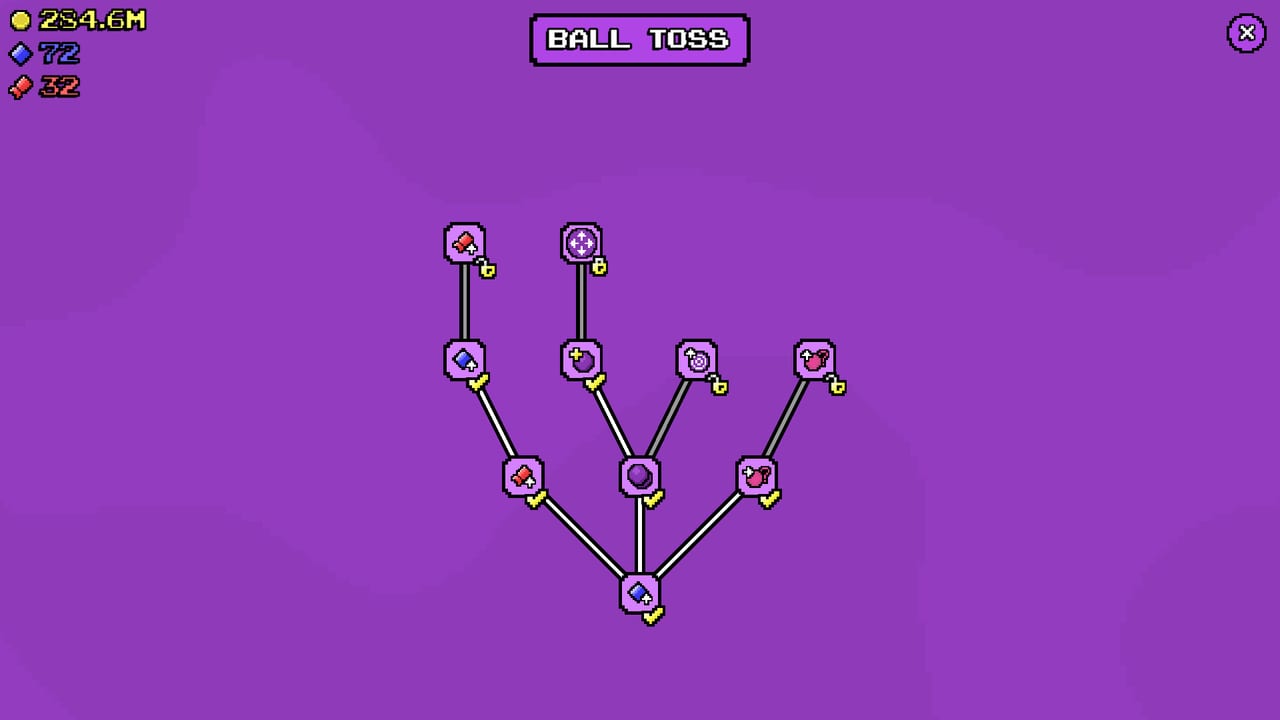
Use this checklist as a living route through Meeple Incremental. It encodes community priorities (income and auto-clickers early, Stopwatch-class minigames next, collectibles matter, prestige optional) without replacing deeper guides.
Print it mentally beside the Getting Started guide.
Phase 0 — Boot up
- Buy the game on Steam (~$5.99, watch for intro discount) via Links
- Confirm single-player save / Steam Cloud behavior on your device
- Practice Controls: zoom Q/E or wheel, pan drag/WASD
- Remember: no redeemable cheat codes (Codes)
Phase 1 — First economy
- Complete a few manual rolls; note money vs skill vs ticket tiles
- Purchase early income upgrades before luxury unlocks
- Buy a second meeple when affordable (All Meeples)
- Open the skill tree and spend into economy nodes (Skill Tree)
- Avoid emptying cash on a weak minigame before clickers exist
Phase 2 — Automation spike
- Buy the first auto-clicker
- Alternate meeples and clicker capacity (Automation)
- Revisit Meeples Tier List as prices climb
- Keep camera zoomed enough to verify idle rolls actually happen
Phase 3 — Minigames online
- Unlock available minigames
- Prioritize Stopwatch (typical S-tier passive)
- Automate best games before dumping upgrades into Tic-Tac-Toe
- Buy shop speed upgrades (full release) for automated games
- Feed per-minigame skill trees after main economy nodes (Minigames, Minigames Tier List)
Phase 4 — Capsules & collectibles
- Bank capsule tickets from board + minigames
- Spend into S-tier effect classes first (Collectibles Tier List)
- Reassess bottlenecks (money vs skills vs tickets) after each major collectible
- Do not confuse tickets with external promo codes
Phase 5 — Full roster
- Own Red, Blue, Orange, Cyan, Green, Yellow as they appear
- Watch for yellow-tile money spikes and lean into Yellow
- Finish any remaining shop meeples required for prestige gating
- Skim Full Release if you are a demo veteran catching up
Phase 6 — Achievements & optional prestige
- Chase comfortable Steam achievements among the 30 total
- Decide intentionally whether to Prestige
- If prestiging: spend leftover strong collectibles, note mandatory skills, then reset
- If not: enjoy 100% without prestige—it is optional
- Post-prestige: rush income, clickers, Start skill bonuses, then extras
Phase 7 — Maintenance
- Reread Patch Notes after balance patches
- Recheck tier lists when speed upgrades reshuffle minigame value
- Visit Discord for live tips
- Leave a Steam review if you enjoy the cozy loop
Condensed priority stack
- Income upgrades
- Meeples + auto-clickers
- Skill economy nodes
- Best minigame automation + speed
- Collectibles
- Complete roster
- Optional prestige loop
Related tools & hubs
- Sibling: Controls
- Hub: Tools Hub
- Strategy: Guides Hub
- Ranks: Tier List Hub
- Roster: Meeples Hub
- News: Updates Hub
Optional speed-run flavor (still cozy)
If you like optimizing without sweating:
- Skip low-tier collectibles until Stopwatch is automated and sped up
- Delay Tic-Tac-Toe investment until roster completion is in sight
- Prestige only after you decide achievements do not need the current board state
That path still respects the same stack—it just trims side quests. For narrative detail behind each checkbox, return to the Guides Hub and Tier List Hub.
Tick at your own pace—Meeple Incremental is a cozy single-player board, not a race. The checklist exists so you never wonder what the next meaningful unlock should be.
Frequently Asked Questions
Quick answers to the most common questions.
Do I have to follow every checkbox?
No—use it as a guide. Swap order when your skills or collectibles change the math.
Where does prestige sit on the list?
After owning every meeple, and only if you want the long loop. It is optional for 100% achievements.
When should Stopwatch appear on my checklist?
After basic income and ideally the first auto-clicker—see Minigames.
Is there a checklist for controls?
Phase 0 points to Controls for zoom and pan mastery.
What changed versus the demo checklist?
Full release adds minigame trees, speed upgrades, and prestige—Full Release.