Meeple Incremental Tools & References
Controls, unlock checklists, and quick references so you spend less time hunting menus and more time rolling.
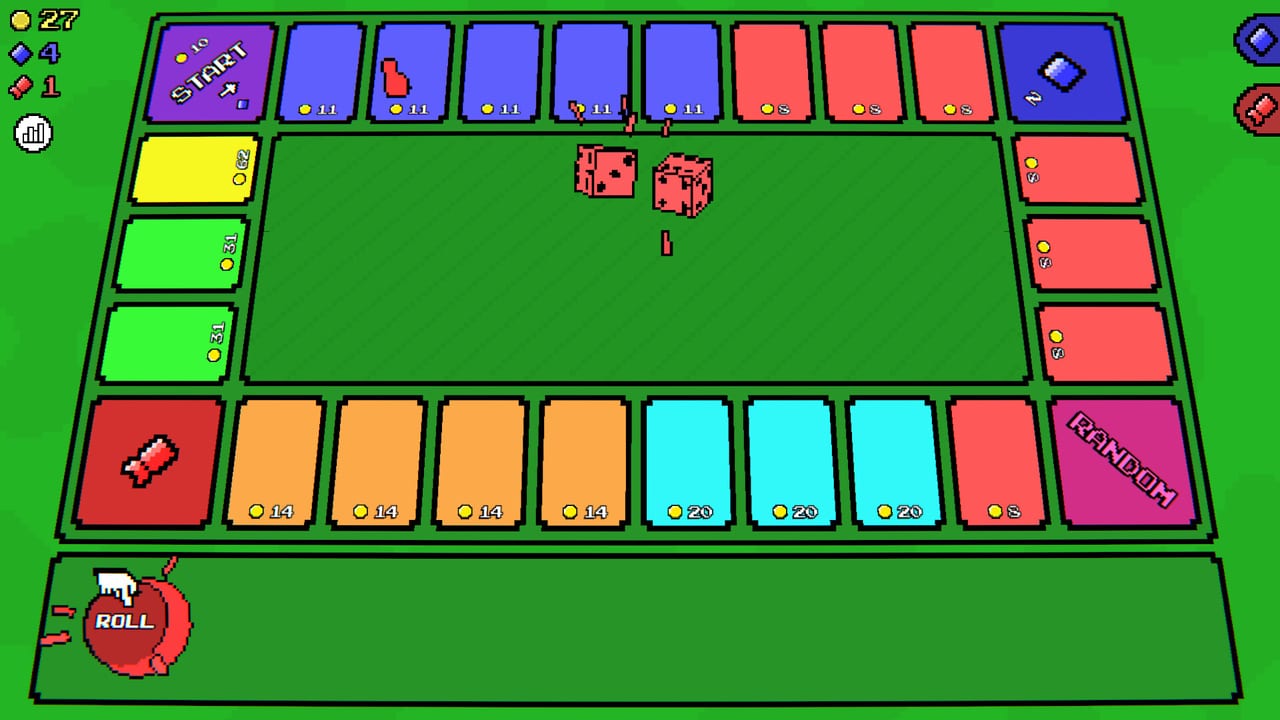
The Tools hub gathers practical Meeple Incremental references that are not full narrative guides. Use these pages when you need a control reminder, an ordered unlock list, or a checklist before prestige.
Meeple Incremental is a cozy single-player board incremental: roll dice, move meeples, buy automation, and spend skill points plus capsule tickets. Helpers here keep that loop readable on a busy screen.
Tools in this hub
- Controls — zoom (Q/E or mouse wheel), pan (click-drag / WASD), rolling, and mouse-only accessibility notes
- Progression Checklist — ordered goals from first meeple through automation, minigames, collectibles, and optional prestige
- System Requirements — Windows 10 / macOS 11 / Ubuntu 22.04 minimums, Steam Cloud, and accessibility flags
When to use Tools vs Guides
Guides explain reasoning and tradeoffs. Tools compress that advice into actionable lists:
| Need | Open |
|---|---|
| Why Stopwatch first? | Minigames Guide + Minigames Tier List |
| Key bindings only | Controls |
| “What unlock is next?” | Progression Checklist |
| Will my PC run it? | System Requirements |
| First-hour narrative | Getting Started |
| Idle setup | Automation |
Camera and board readability
As you own more meeples, the board gets noisy. Zoom out to watch traffic on yellow money tiles; zoom in when picking skill nodes or reading collectible text. Pan with WASD or drag so shop and skill tree panels do not hide the track. Full detail lives on Controls, including notes for players who prefer mouse-only input.
Checklist philosophy
The Progression Checklist follows community-proven priorities: income upgrades and auto-clickers early, then skill tree fundamentals, then strong minigames (often Stopwatch), then collectibles, then “own every meeple” as the prestige gate. Prestige itself stays optional for 100% Steam achievements—confirm on Prestige and Full Release.
Tick items off alongside roster pages in the Meeples Hub and rankings in the Tier List Hub. When a patch lands, skim Patch Notes before trusting an old checkbox order.
Currencies the tools care about
- Money — buys meeples, auto-clickers, and shop speed upgrades
- Skill points — main skill tree and per-minigame trees in the full game
- Capsule tickets — collectibles with powerful bonuses (not redeemable “codes”—see Codes Hub)
Accessibility and comfort
Steam lists comfort-oriented features (save anytime, camera comfort options, mouse-only). Combine those with zoom/pan so long idle sessions stay easy on the eyes. Spec floors and Cloud notes live on System Requirements. If you are teaching a friend, send them Controls plus Getting Started before deep tier lists.
Official community: Discord. Developer site: simplyartizan.com. More destinations on Links.
Pick a tool below, then return to the Guides Hub when you need the longer explanation behind a checkbox.
Frequently Asked Questions
Quick answers to the most common questions.
Where are zoom and pan controls?
See Controls. Zoom with Q/E or the mouse wheel; pan with click-drag or WASD.
Is there a checklist through prestige?
Yes—Progression Checklist covers early game through optional prestige.
What are the system requirements?
Windows 10 / macOS 11 / Ubuntu 22.04 floors with ~4 GB RAM and 200 MB storage—System Requirements.
Do tools replace guides?
No. Use tools for quick reference and guides like Automation for strategy.
Can I play with mouse only?
Core actions work with mouse; Controls notes keyboard shortcuts and mouse-only tips.